Define the direction
Choose the message, page structure, visual system, and imagery approach for the business.

Choose the design direction, sections, typography, imagery, and message; review the result; then move it toward GitHub, Vercel, and your domain.
druidx run website-creation. loading business context. guided-design-direction, set theme, layout, palette, accent, typography, sections, imagery, and logo before generation. business-grounded-copy, use the workspace goal, description, audience, and offer to shape the site narrative. preview-and-refine, inspect the generated site and continue editing instead of accepting a one-shot result. repository-handoff, push the website into github so the work enters a normal source-controlled workflow. deployment-path, connect a vercel deployment and domain when the site is ready to publish. 5 steps complete · output saved to Library.
Keep strategy, design decisions, implementation, and deployment in one governed flow.
A website generator is only useful when the result reflects the business and can enter a real delivery workflow. DruidX keeps the brief, visual system, preview, edits, repository, and deployment steps connected.
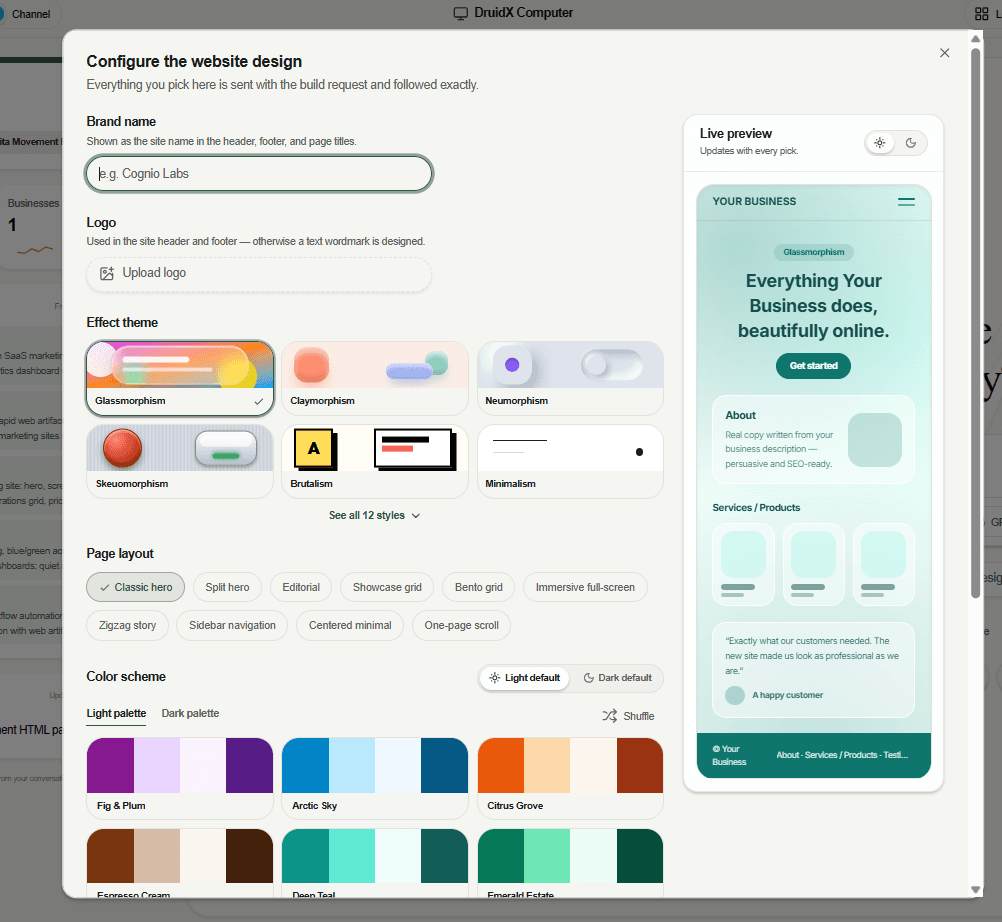
Brand name, logo, effect theme — glassmorphism, claymorphism, brutalism, minimalism, and more — page layout, and color palette, with a live preview that updates on every pick. Everything you choose is sent with the build request and followed exactly.
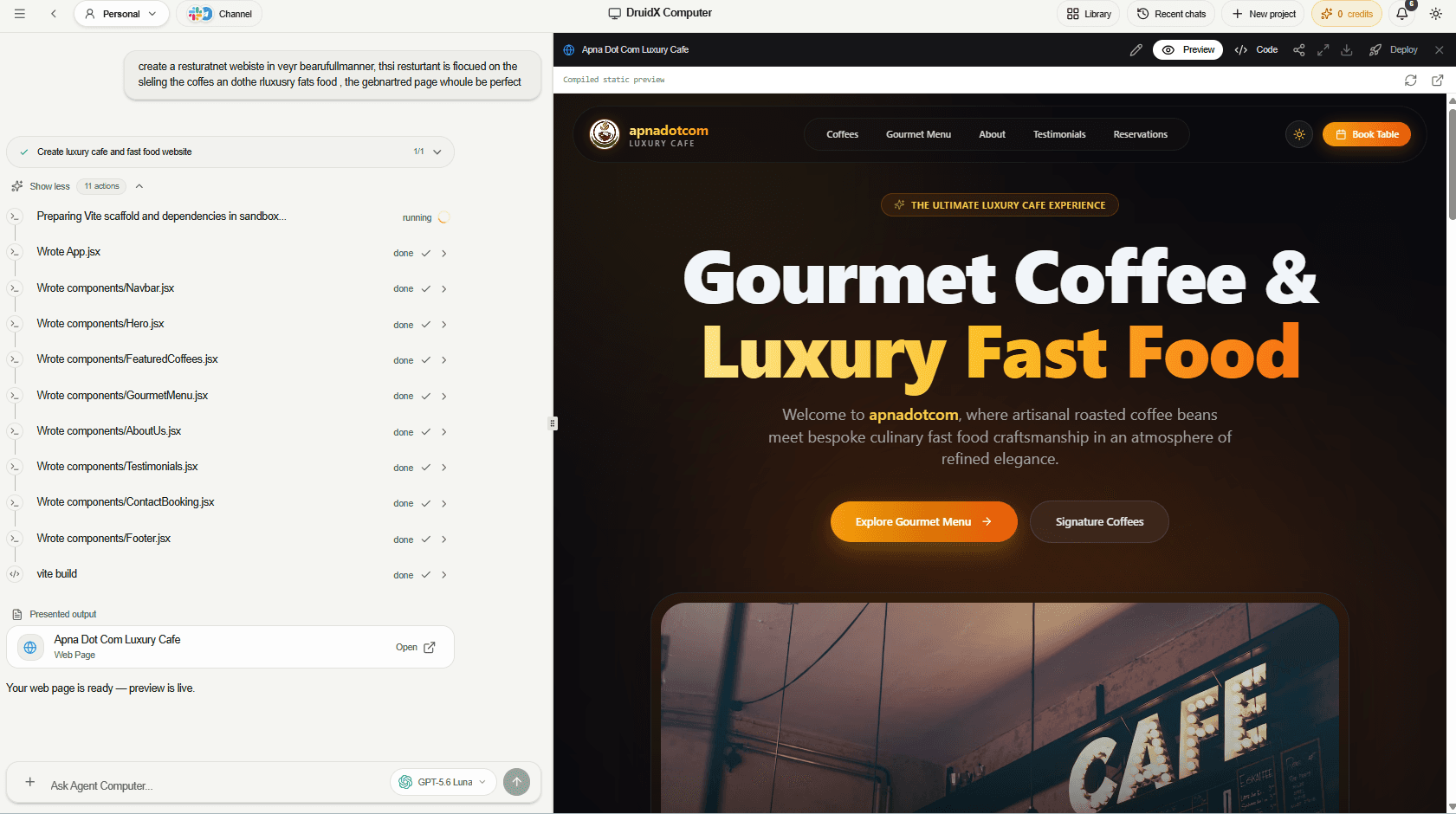
The agent scaffolds the project, writes every component, runs the build, and opens a live preview with deploy controls — all in the same view as the conversation.
Once you approve the preview, the site moves through the same path an engineering team would use — version control on GitHub, a Vercel build and deployment, and your own domain at the end.
Preview
Reviewed and approved
GitHub
Pushed to your repo
Vercel
Built and deployed
Your domain
Live on your URL
Set theme, layout, palette, accent, typography, sections, imagery, and logo before generation.
Use the workspace goal, description, audience, and offer to shape the site narrative.
Inspect the generated site and continue editing instead of accepting a one-shot result.
Push the website into GitHub so the work enters a normal source-controlled workflow.
Connect a Vercel deployment and domain when the site is ready to publish.
Run content, SEO, and implementation checks after launch, then prioritize the next improvements.
The objective, the execution, and the outputs stay connected, so nothing gets rebuilt in the next tool.
Choose the message, page structure, visual system, and imagery approach for the business.
Open the preview, inspect the content and design, and request targeted changes.
Push to GitHub, deploy through Vercel, connect the domain, and keep improving.
Useful outputs your team can open, share, and build on — not another stream of chat.
Move from positioning and design direction to a presentable website without stitching together separate tools.
Create a focused page around a goal, audience, and offer, then deploy it into the existing stack.
Reframe the message and visual system while keeping review and deployment deliberate.
Your next move
Set up a workspace, add the context that matters, and let your AI team turn the goal into reviewed, reusable work.