DruidX Computer
Give it the task. Get the finished file.
Your agents work in a real cloud sandbox with a terminal. The answer arrives as a deck, a site, or a report.
druidx run "build the growth kit". sandbox ready · python and node. web-builder, scaffolding the site. npm-install, dependencies resolved. write-files, 9 components written. vite-build, compiled, 0 errors. output preview.html, open, edit, deploy. deck-builder, writing the pitch. outline-agent, 12 slides mapped. render-agent, python-pptx rendered. output proposal.pptx, opens in the editor. chart-builder, plotting the numbers. data-agent, sources gathered. plot-agent, bar, line, pie. output charts.png, 3 files generated. 3 runs · every file saved with versions.
One prompt in. A real file out.
Say what you want made. The run plans itself, works in the sandbox, and returns something you can open, edit, and send.
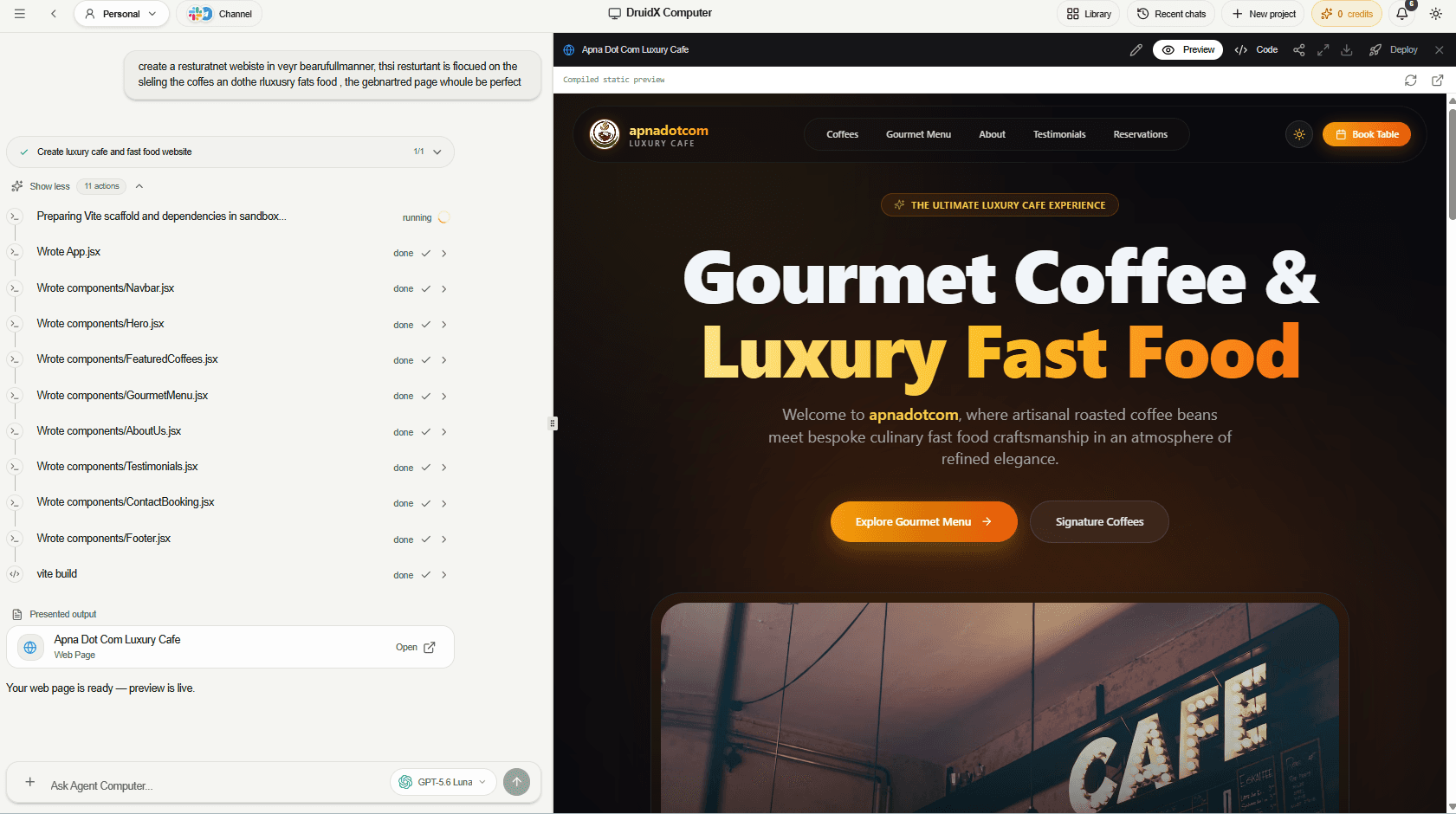
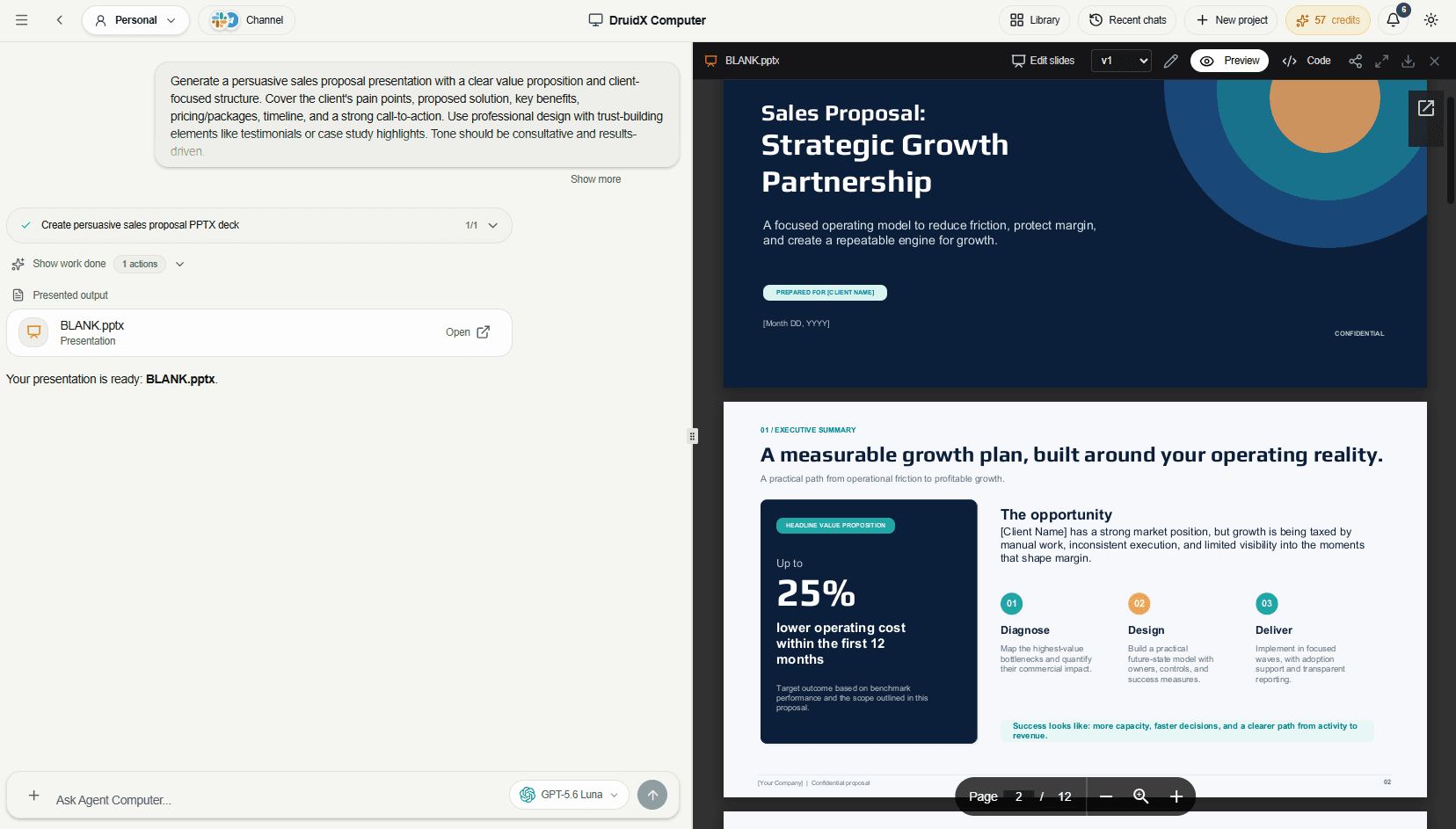
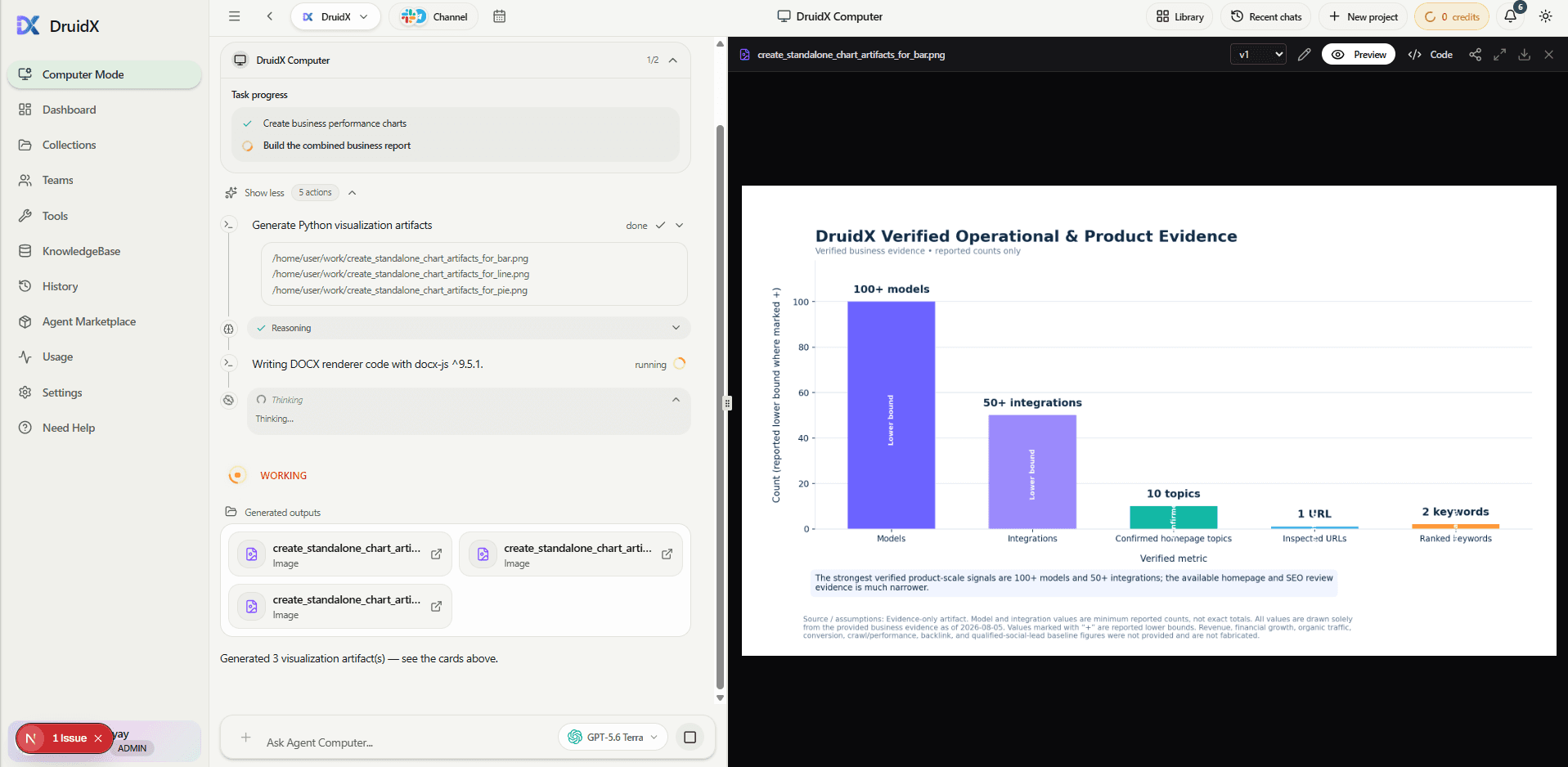
A site scaffolded, compiled, and previewed in front of you.
Agents open a sandbox, write the components, run the build, and hand back a live preview with the source next to it.
- Every file write and build command is visible as it happens
- Read the code, download the project, or deploy it
- Come back later and ask for changes on the same site
Inside the sandbox
A real machine, not a text box.
Every run gets its own isolated cloud sandbox. Agents install what they need, write files, execute code, and read the output that comes back.
Python, Node, and a shell
Agents install packages, run scripts, and read the real exit code instead of guessing at the result.
A headless browser
Chromium opens pages, clicks through them, fills forms, and screenshots what it actually finds.
Files that persist
The workspace stays alive across steps, so step four can read exactly what step one wrote.
Failures get repaired
A failed command sends the run back to replan against the real error, then try the fix.
nothing runs on your machine. credentials for connected apps never enter the sandbox.
Decide the direction before a file is written.
Instead of describing a look in a paragraph and hoping it lands, you set it explicitly and the build follows what you picked.
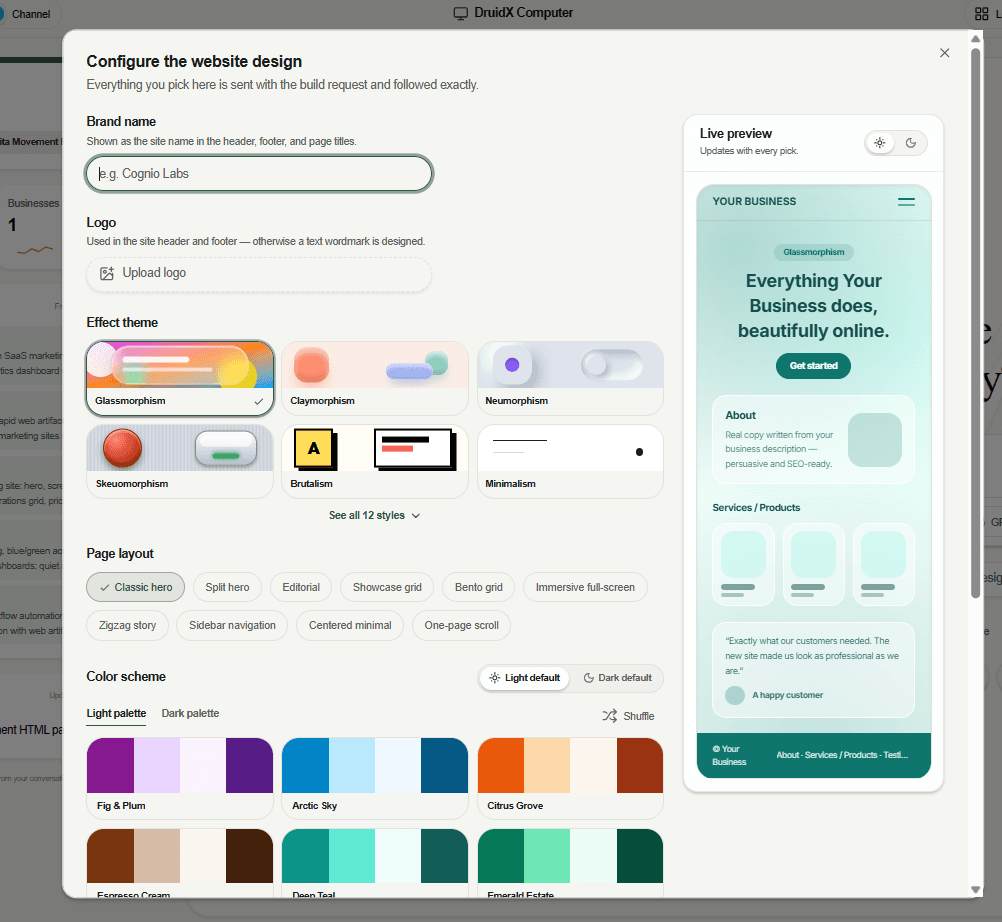
Design the site before it builds
Brand name, logo, effect theme, page layout, and colour palette. The preview updates with every pick and the build request follows it exactly.
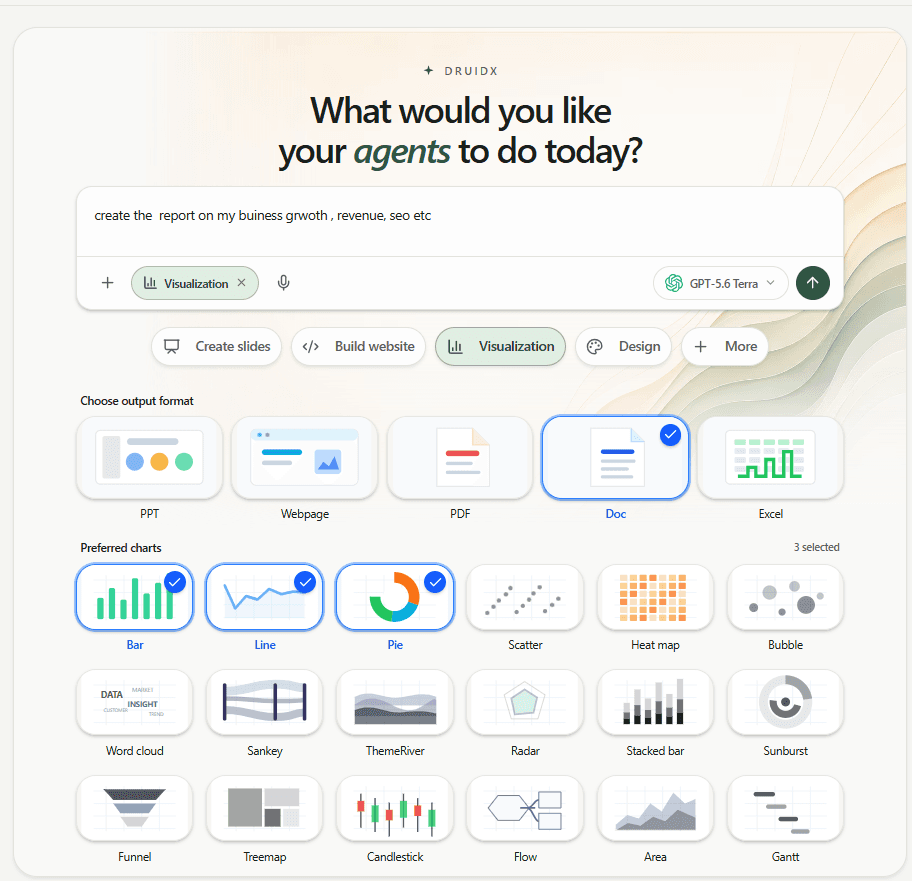
Name the format and the charts
Deck, webpage, PDF, document, or spreadsheet, then the chart types that belong in it. Eighteen are available, from bar and line to Sankey, funnel, and Gantt.
The deck opens in an editor, not a downloads folder.
Rewrite the headline, move a shape, change a fill. Saving writes a new version, so the one you already liked is still there.
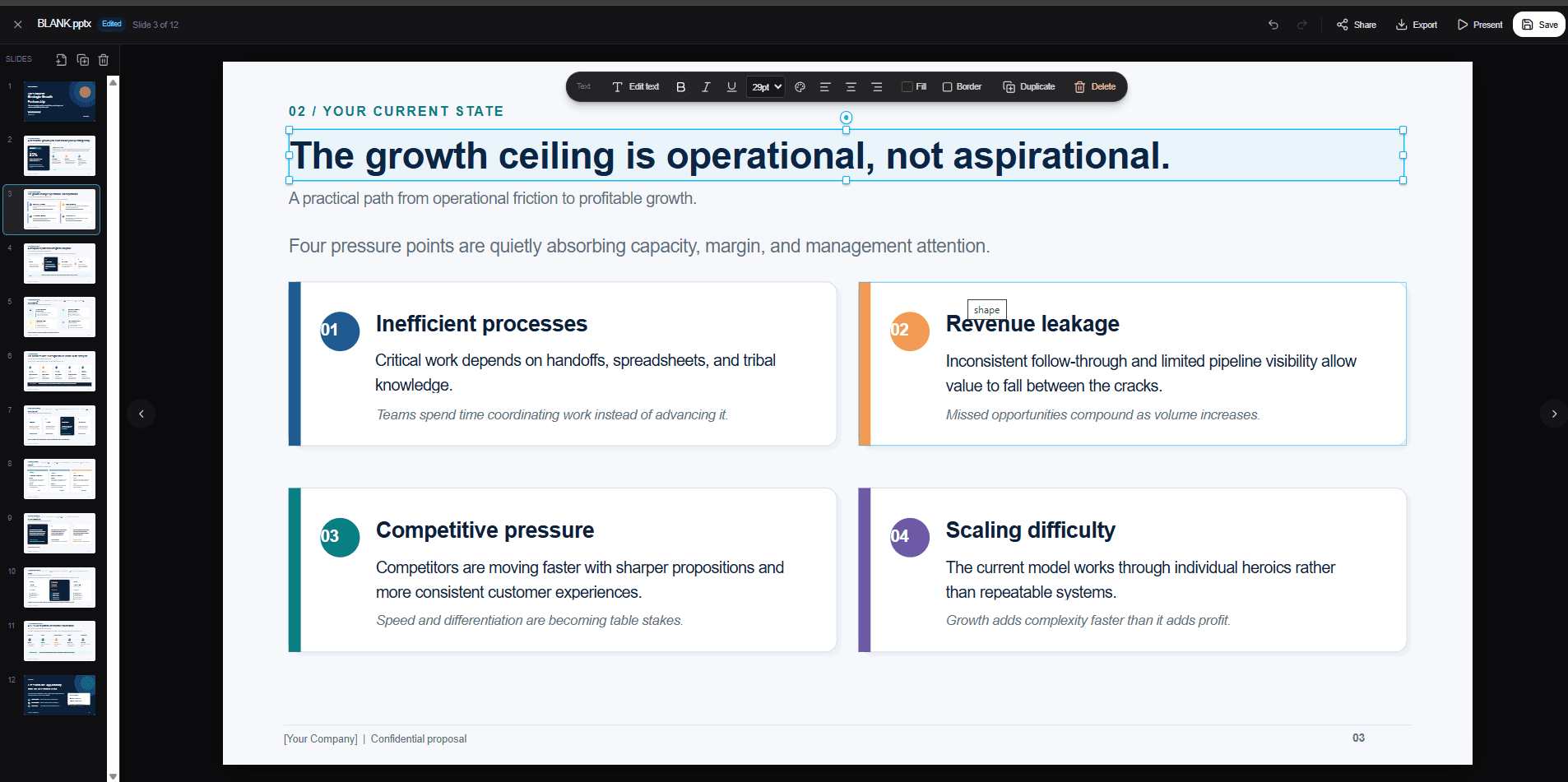
Versions are kept
Open v1 after you have shipped v3. Nothing overwrites the earlier work.
Share without the file
Send a view-only link that opens for anyone, or grant edit access by name.
Ship it onward
Present it, export it, download it, or deploy a website to GitHub and Vercel.
There is more than a model behind the run.
Search, your own documents, your connected apps, reusable skills, and a team of agents that can split the work.
Choose the model per run
Frontier models from OpenAI, Anthropic, DeepSeek, Qwen, and Z.ai. Switching models does not change the sandbox, the tools, or what you get back.
Search and a real browser
Agents search the live web and keep the sources. When a page needs opening properly, Chromium opens it, clicks through, and reports what is actually there.
Your documents
Upload files and agents retrieve from them during the run, so answers stay grounded in your material.
Connected apps
Gmail, GitHub, Slack, and more through MCP connectors, with the connection prompted when a run needs it.
Skills you can write
Install a skill, import one from GitHub, or create one by describing the procedure in chat.
Questions people ask first.
Still deciding? Compare what each plan includes on the pricing page.
What is DruidX Computer?
DruidX Computer is an agent workspace where every run gets an isolated cloud sandbox with a terminal. Instead of returning text you have to reformat, it produces the finished file: a .pptx deck, a built website, a spreadsheet, a document, a PDF, or rendered charts.
How is this different from a normal AI chat?
A chat returns words. DruidX Computer plans the task into steps, runs real commands in a sandbox, shows each action and its output as it happens, and hands back files you can open, edit, version, and share.
What can DruidX Computer actually create?
PowerPoint decks, Word documents, Excel workbooks, PDFs, multi-page websites built with Vite and React, charts and diagrams, images, video, markdown reports, and code. Each one arrives as a real file in your Library.
Can I edit what the agents produce?
Yes. Decks open in a built-in slide editor where you can change text, shapes, fills, and borders by hand. Websites open with a live preview and the source beside it. Saving creates a new version, so earlier versions stay available.
Does it run code on my machine?
No. Everything runs in an isolated cloud sandbox that is created for the run and torn down afterwards. Nothing executes locally, and your credentials for connected apps are never handed to the sandbox.
Which AI models can I use?
You pick the model per run from a list that includes frontier models from OpenAI, Anthropic, DeepSeek, Qwen, and Z.ai. Switching the model does not change how the sandbox, tools, or deliverables work.
Can agents use my own documents and tools?
Yes. Upload documents and agents retrieve from them during a run. Connect apps such as Gmail, GitHub, and Slack through MCP connectors, and install skills that teach agents a repeatable procedure.
How do I share a finished deliverable?
Every artifact has a share menu. Copy a view-only link that works without an account, grant edit access to specific teammates, download the file, or push a website straight to GitHub and Vercel.
Which plans include DruidX Computer?
DruidX Computer is available on the Advance and Pro plans. You can compare what each plan includes on the pricing page.
Open a sandbox and give it something real to do.
Bring the task you have been putting off. The deck, the audit, the site, the report you keep rewriting by hand.